Reading the Manual: GNU tar (Part 1)
Motivation
When I'm stumped by a problem in programming or computing, I generally find myself searching the internet. I haven't jumped on the LLM bandwagon for this. Not because I'm worried it'll be wrong, moreso that I suspect I'll get my answer, but I won't learn anything. I wondered if a programmer from a previous generation would feel the same way about my search engine/Stack Overflow method for problem solving that I do about the LLM strategy. And when I find myself using software that's particularly specialized or unusual, finding specific answers online gets harder, and my trust in an LLM's answers is significantly lower. So I've decided to finally RTFM, and see if I learn anything interesting. Today, I'm reading the manual for GNU tar.
GNU tar
Short for "tape archive", tar is used for gathering a collection of files together into a single archive. Originally, it was used to archive data onto magnetic tape. These days, I mostly see it used alongside gzip to collect and compress collections for transfer over the internet. Many people use tar just infrequently enough that they never quite remember the right set of command line options for their use-case. Relevant XKCD:
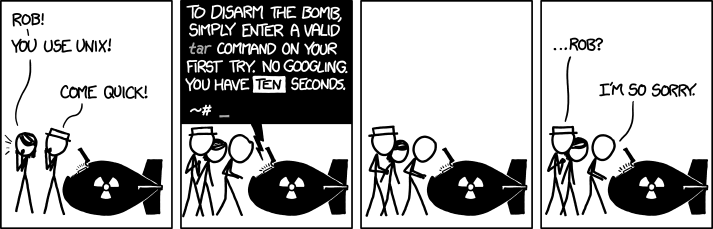 I used to have this problem, until I learned a mnemonic from a Stack Overflow post I can't find anymore. To create a
 .tar.gz, you use tar -czvf some_directory to "compress ze vucking file". To open a .tar.gz file, you use tar -xzvf to "xtract ze vucking file".
The Manual Itself
The GNU tar manual is available in 14 formats, not counting print versions. I'm using the second option on that list, HTML with one web page per node. The format here is pretty typical for GNU documentation on the web. It's split into chapters, and each chapter is split into sections. There are arrow buttons to move between chapters and sections, and an "Up" button to move from section text to the list of sections, and from the list of sections in a chapter to the list of chapters.
Observations
Section 1: Introduction
- The early sections of the manual are careful in defining terminology. The
.taror.tar.gzfile generated bytaris an "archive". The files contained within are "archive members". This is a lot clearer than using the term "file" for everything, as people tend to in the real world.
Section 2: Tutorial Introduction to tar
- As with most command line software,
tarhas both long and short versions of command line flags (-fvs--flag). For the tutorial examples in section 2, the manual uses the long versions. - Reading the beginners' tutorial, I realize that the "compress ze vucking file" mnemonic is misleading.
-cis the short version of--create, which creates an archive. The tutorial doesn't even mention compression, so I check the man page to confirm that-zis short for--gzip. This is the option that compresses the file. However,taralso has a--compressoption, which is abbreviated as-Z. The difference between-zand-Z, is that the first one calls thegzipcommand, and the second calls thecompresscommand. From looking at their respective manpages, these are subtly different commands that both do forms of LZW compression. I'll write more about the similarities and differences in a future post. tarhas two types of command line arguments. "Operations" specify what modetaris running in. This includes "--create", "--extract", and "--list" Exactly one argument of this type is required, there is no default mode. The operation must be the first flag listed. All other flags are categorized as "options"- In addition to the short and long forms of command line flags, there's also an "old form" for a lot of commands, for compatibility with old Unix versions of
tar. My interest is immediately piqued, but I'm trying to read through the manual in order, so I don't follow the link to that part of the manual. - The
-fintar -czvfis short for--file. Despite the nomenclature used in the manual, this refers to the archive file. I always forget whether source or destination comes first intar(I basically always need to check the manpage) Realizing that the -f is tellingtarthe archive file name makes the order of files in a tar command make more sense. This is yet another way that my mnemonic is subtly misleading, since the "file" is the archive, not the file or directory being put in the archive. - When I use tar, I basically always put the files in a directory and tar up the directory, but you can give tar a list of individual files to put in the archive.
- Don't tell
tarto put your archive in the directory being archived. - I've basically never used the
--listoperation, but it looks like a useful way of listing the members of atararchive without having to extract the archive. - When extracting, you don't actually need to extract the entire archive, you can specify individual files to extract from the archive. The tutorial section doesn't cover compression, so I'm not sure how this functionality interacts with that.
Conclusion
I'd recommend beginners tutorial in the GNU tar manual to anyone who, like me uses tar like it's a magic incantation. I wish the manual introduced compression in this tutorial section. While I understand the need for simplicity and brevity in a beginners tutorial, most modern use cases for tar use compression. I plan to go through the rest of the manual in future posts.